Face Recognition · Project walkthrough

Project flow diagrams

Use the buttons to jump to a workflow, or scroll through the supplied diagrams in sequence.

← Back to Face Recognition project details

End-to-end workflow

Face recognition with liveness detection
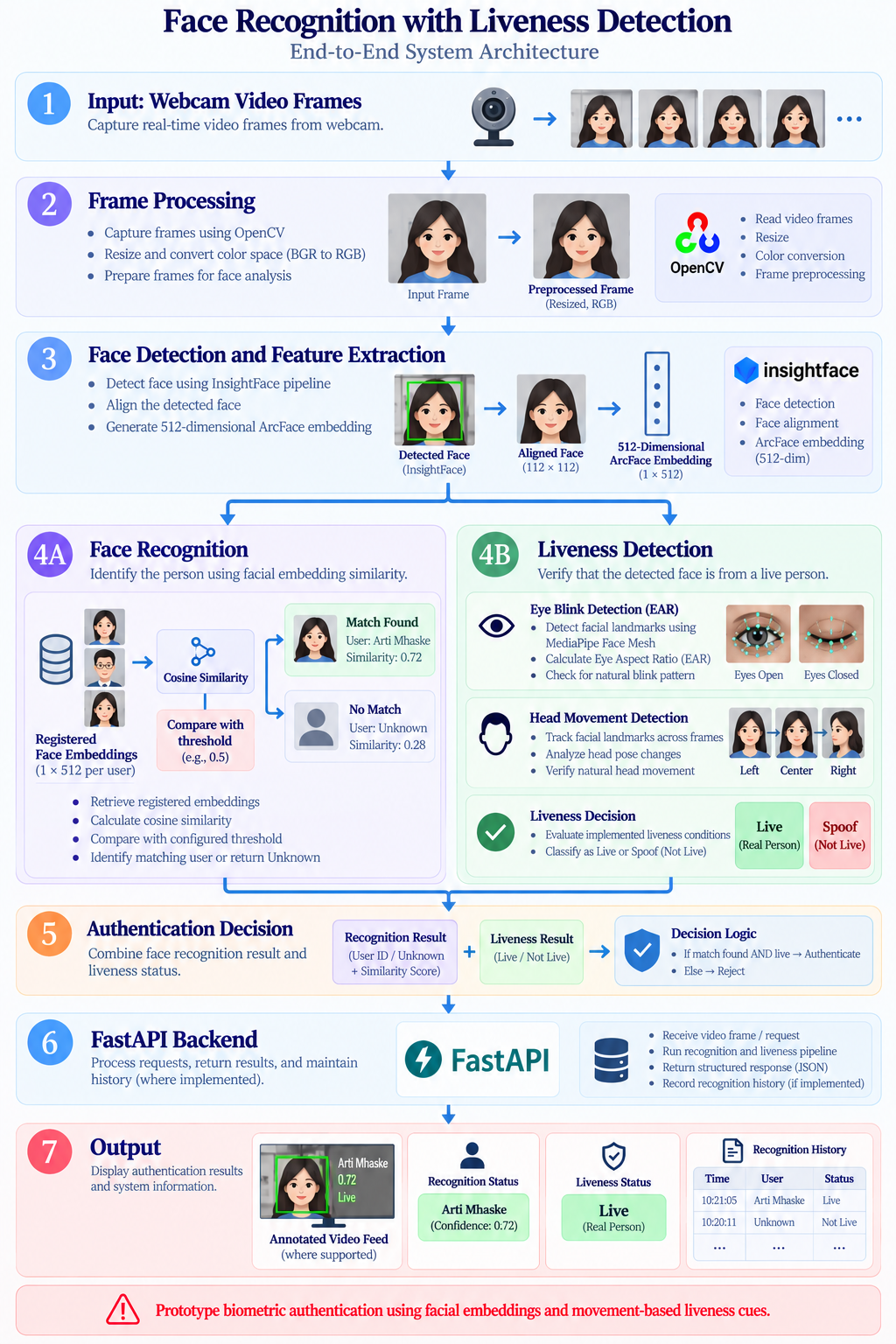
End-to-end webcam frame processing, face detection and embedding, ArcFace recognition, MediaPipe liveness checks, authentication decision, FastAPI backend, and output

Identity matching

ArcFace-based face recognition
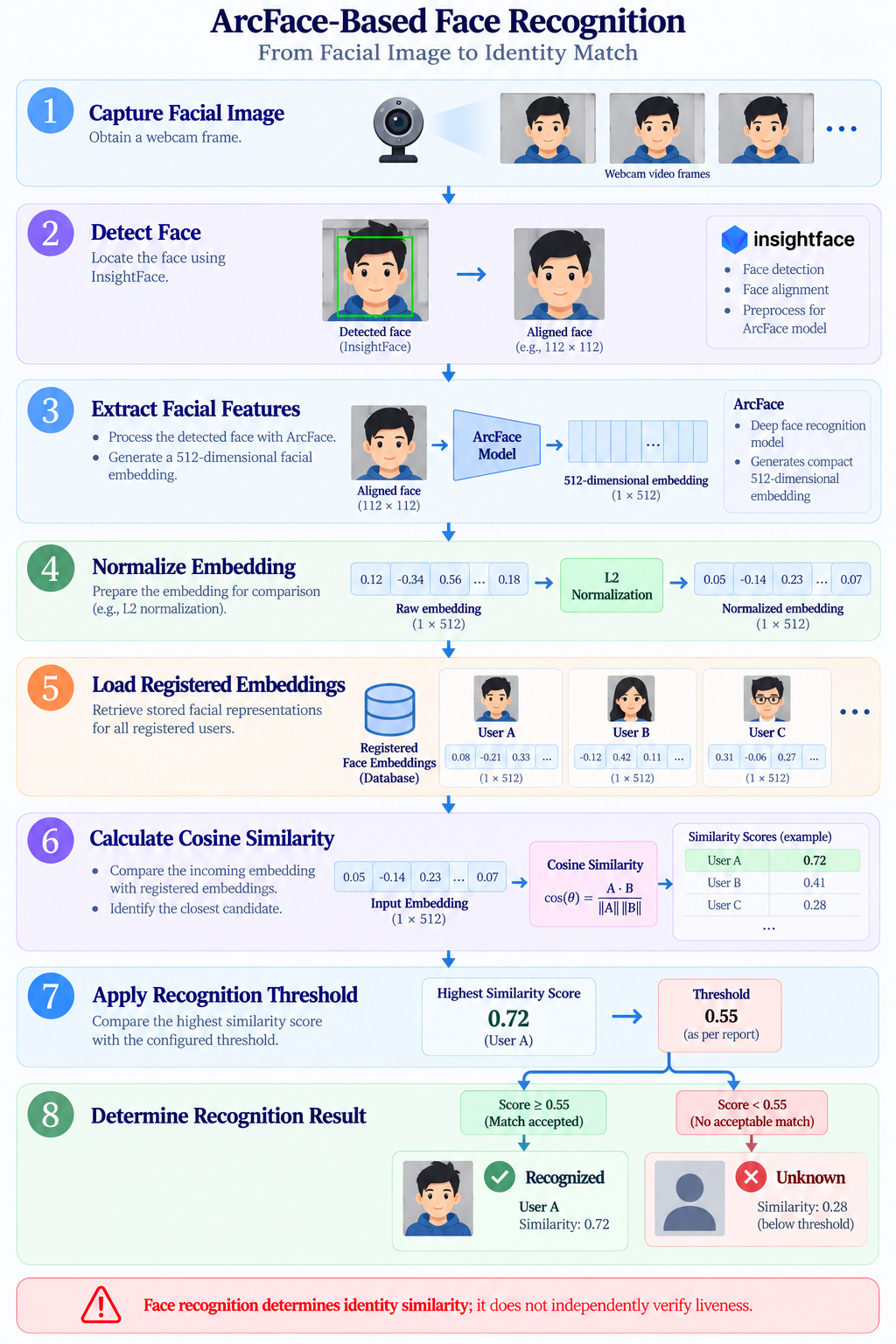
ArcFace recognition pipeline from webcam frame through InsightFace detection, 512-dimensional embedding, stored embeddings, cosine similarity, and configured threshold

Movement-based liveness cues

MediaPipe Face Mesh liveness checks
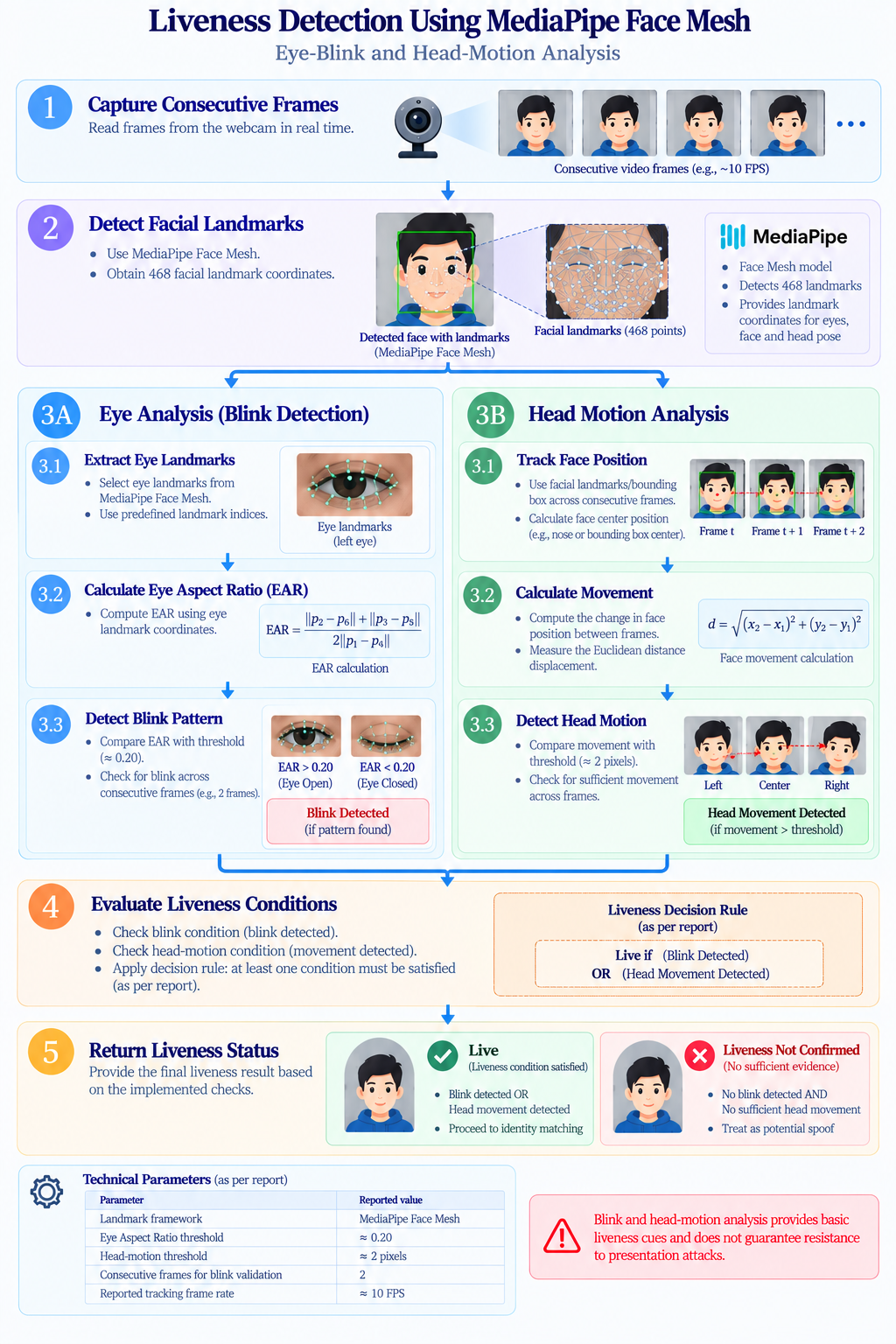
Liveness workflow using MediaPipe Face Mesh landmarks, eye aspect ratio blink patterns, head-motion tracking, and implemented liveness conditions

API and local storage

FastAPI backend architecture
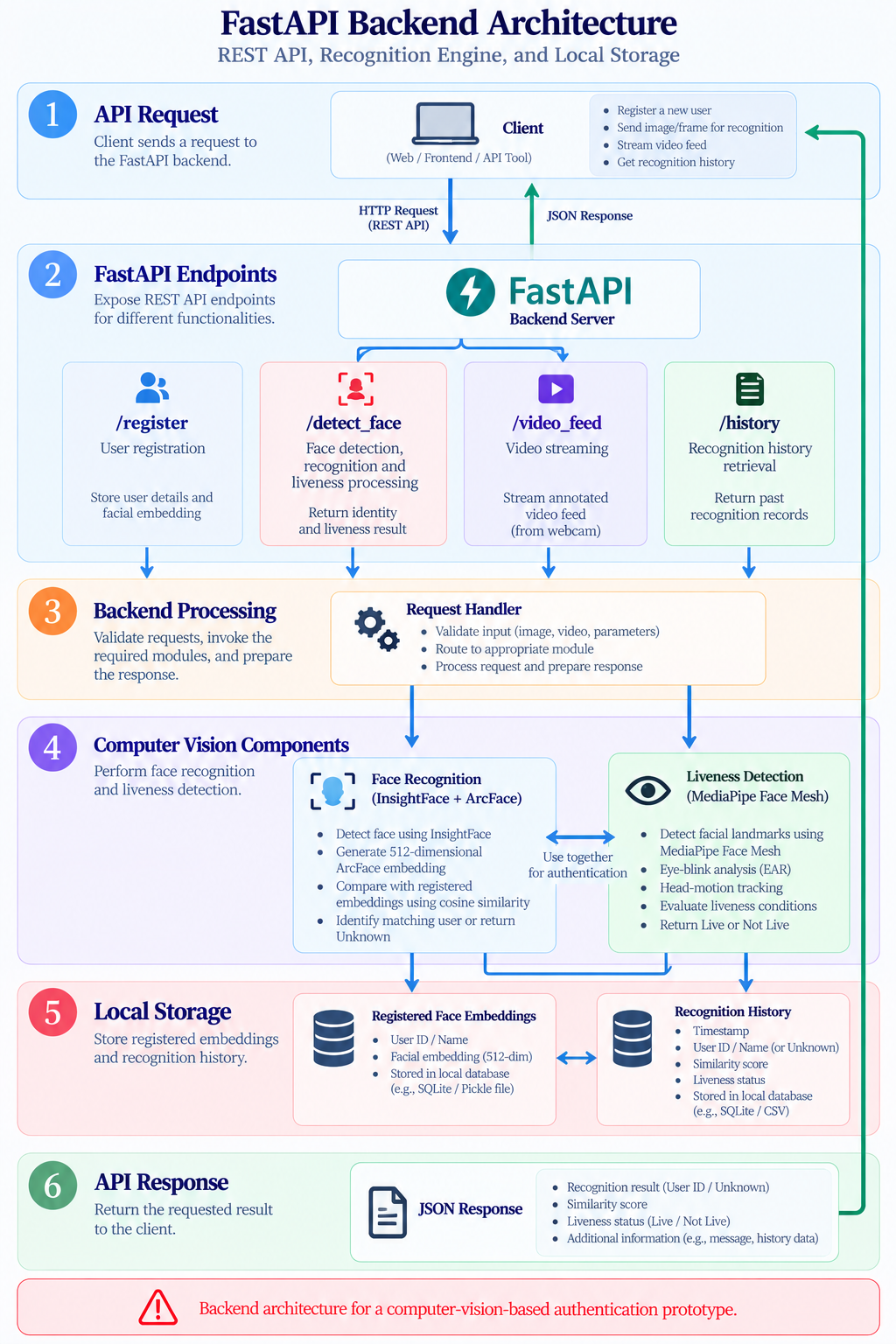
FastAPI backend endpoints for registration, face recognition, video feed, and history, connected to recognition and liveness components and local storage

Enrollment and verification

User registration and authentication
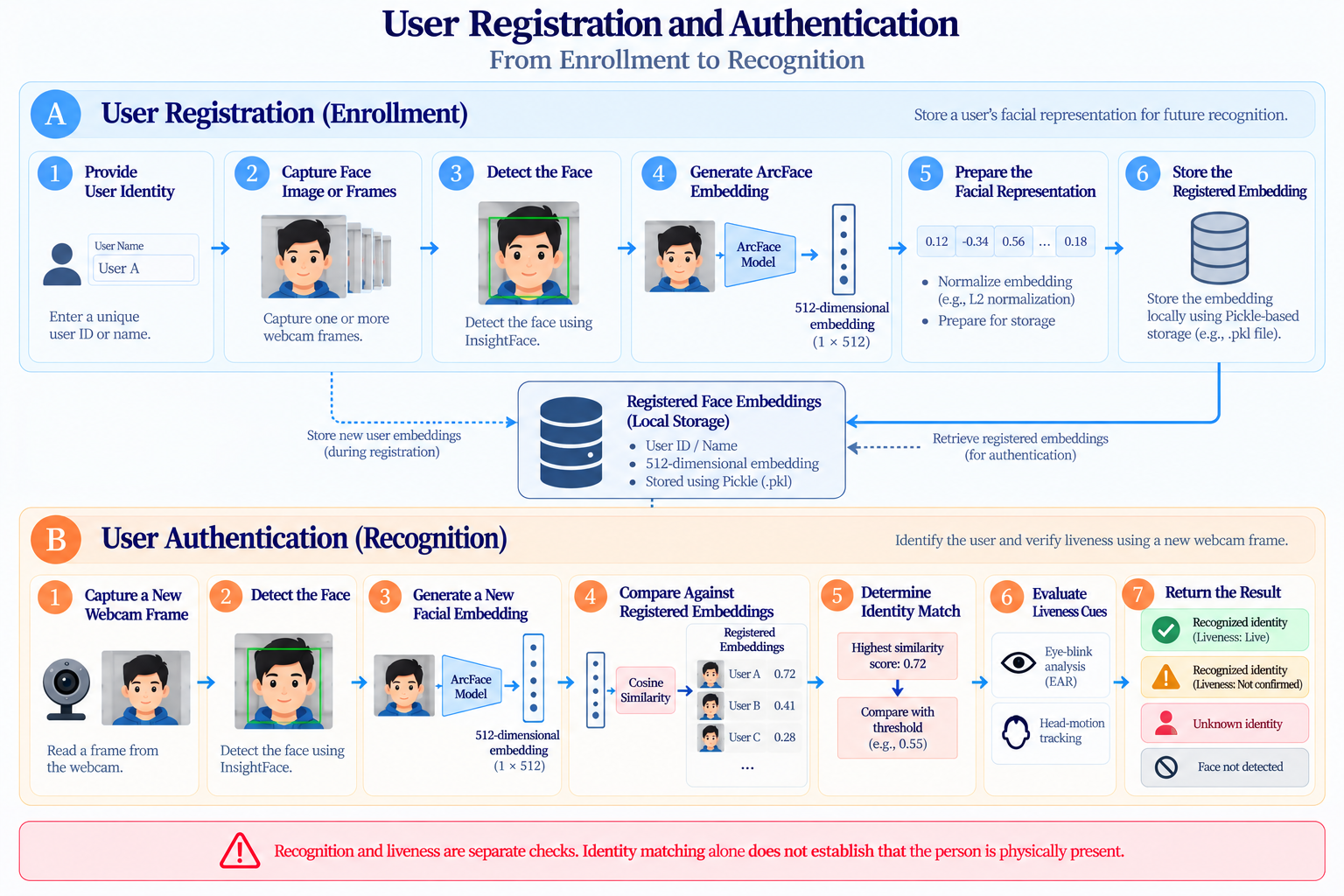
Enrollment workflow storing facial embeddings locally and authentication workflow comparing a new embedding and evaluating liveness cues

Security note: Blink and head-motion heuristics provide basic liveness cues; they do not guarantee resistance to presentation attacks. Treat these diagrams as a description of the prototype, not a security certification.